
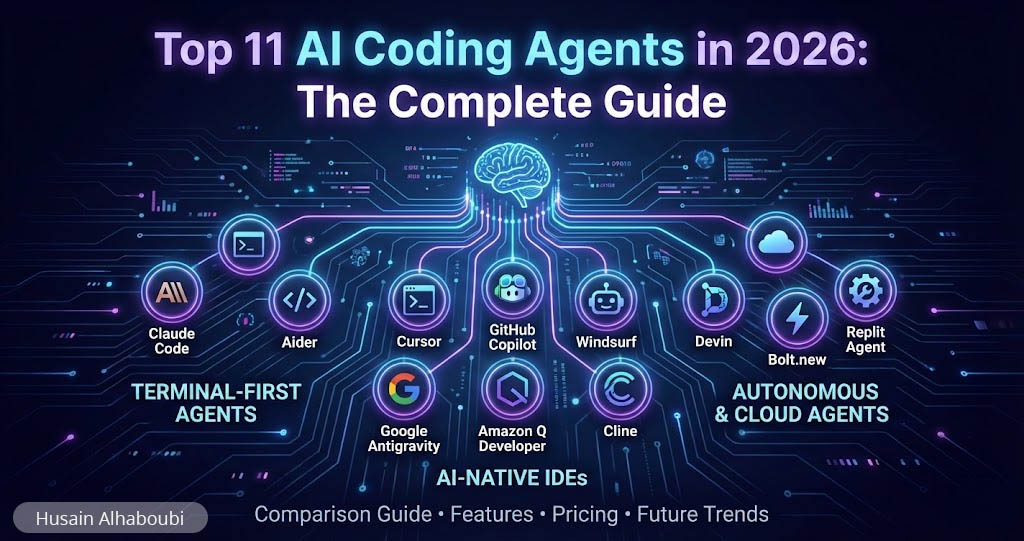
Top 11 AI Coding Agents in 2026: The Complete Comparison Guide
In 2025, AI changed how developers write code. In 2026, AI coding agents are changing how software gets built entirely. We have moved past simple autocomplete into a world where autonomous agents read entire codebases, plan multi-file changes, run tests, and iterate on failures without constant human input. Gartner forecasts that 60% of new code will be AI-generated by the end of 2026, and the global AI coding assistant market has reached an estimated $8.5 billion. If you are a developer, a tech lead, or simply someone evaluating these tools for your team, understanding the landscape of AI coding agents is no longer optional.
I have spent months researching, testing, and comparing the top AI coding agents available right now. This guide breaks down 11 leading tools across every category, from terminal-first agents and AI-native IDEs to browser-based app builders. You will find honest assessments of features, pricing, strengths, and limitations so you can choose the right tool for your workflow.
Table of Contents
What Are AI Coding Agents?
AI coding agents are software tools powered by large language models that go far beyond simple code completion. Unlike the autocomplete assistants of 2023-2024, these agents understand repository context, commit history, and architectural patterns. They can autonomously plan changes across multiple files, execute terminal commands, run tests, and iterate on failures until the task is complete.
Anthropic’s 2026 Agentic Coding Trends Report describes this capability as “repository intelligence,” meaning the AI grasps not just individual lines of code but the relationships and intent behind them. The shift is fundamental: developers are moving from writing every line of code to orchestrating AI coding agents that handle implementation while humans focus on architecture, review, and strategic decisions.
Think of it this way. In 2024, AI tools completed your sentences. In 2026, AI coding agents manage entire feature branches.
The AI Coding Agents Market in 2026: Key Statistics
Before diving into individual tools, here is a snapshot of where the market stands right now. These numbers provide context for why choosing the right tools matters more than ever.
- $8.5 billion — estimated global AI coding assistant market size in 2026 (source: BayelsaWatch, February 2026)
- 62% of professional developers actively use an AI coding tool in 2026
- 85% of developers regularly use AI coding assistants in their day-to-day work
- 90% of Fortune 100 companies use AI coding tools in some form
- 3.6 hours per week — average time saved by developers using AI coding assistants
- $52.62 billion — projected AI agents market size by 2030, growing at a 46.3% CAGR (source: MachineLearningMastery, January 2026)
- 1,445% surge in multi-agent system inquiries from Q1 2024 to Q2 2025 (Gartner)
- 20 million+ GitHub Copilot users, with 4.7 million paid subscribers (75% year-over-year growth)
These numbers tell a clear story: agentic coding tools have moved from experimentation to standard practice. The question is no longer whether to use them but which combination fits your workflow.
Three Categories of AI Coding Agents
Not all AI coding agents serve the same purpose. The market has matured into three distinct categories, and the most productive teams use tools from multiple categories.
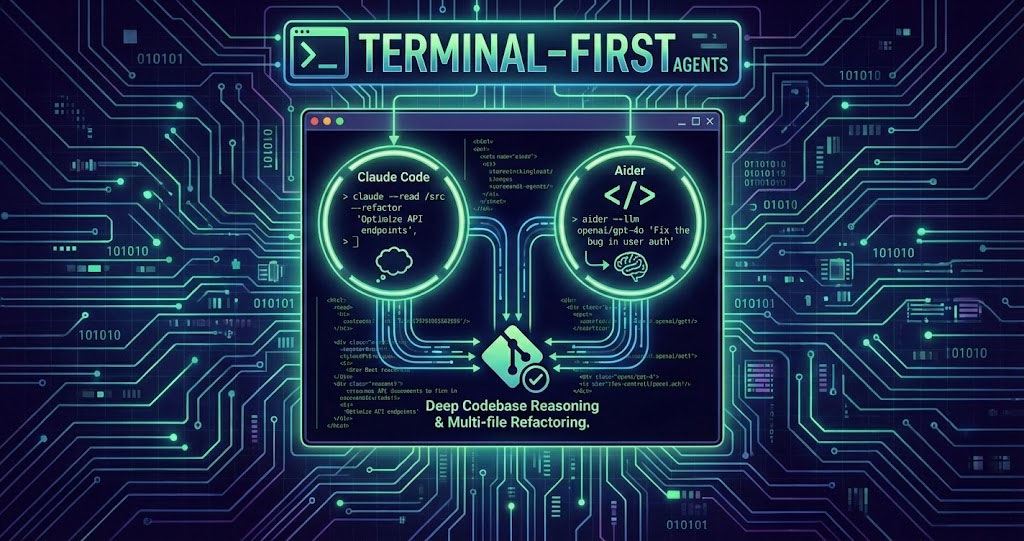
Terminal-First Agents operate in your command line, directly interacting with your codebase, running commands, and managing Git operations. Examples include Claude Code and Aider. They excel at multi-file refactors and deep reasoning tasks.
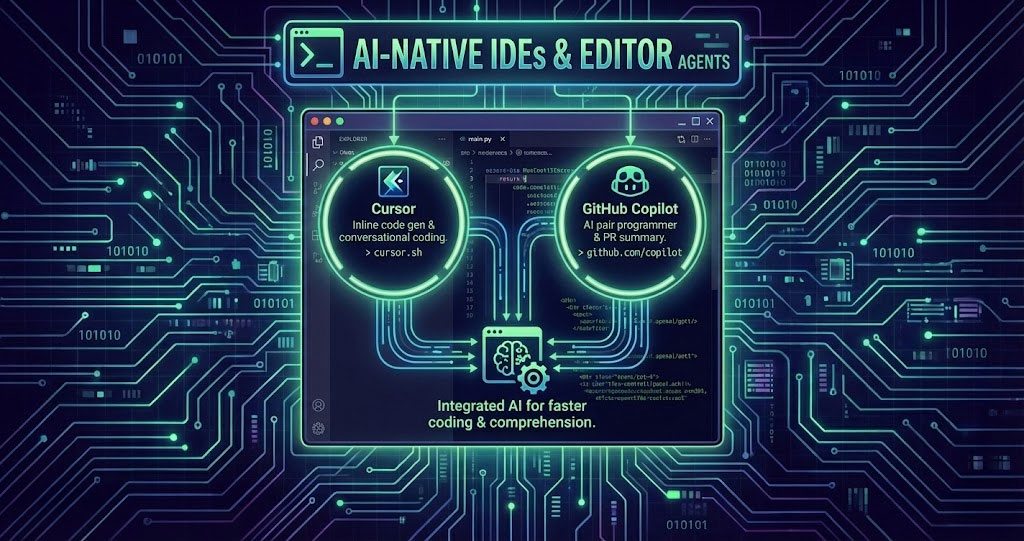
AI-Native IDEs and Editor Agents rebuild the entire code editing experience around AI. Tools like Cursor, Windsurf, GitHub Copilot, Google Antigravity, Amazon Q Developer, and Cline provide intelligent code completion alongside agentic capabilities within a familiar editor environment.
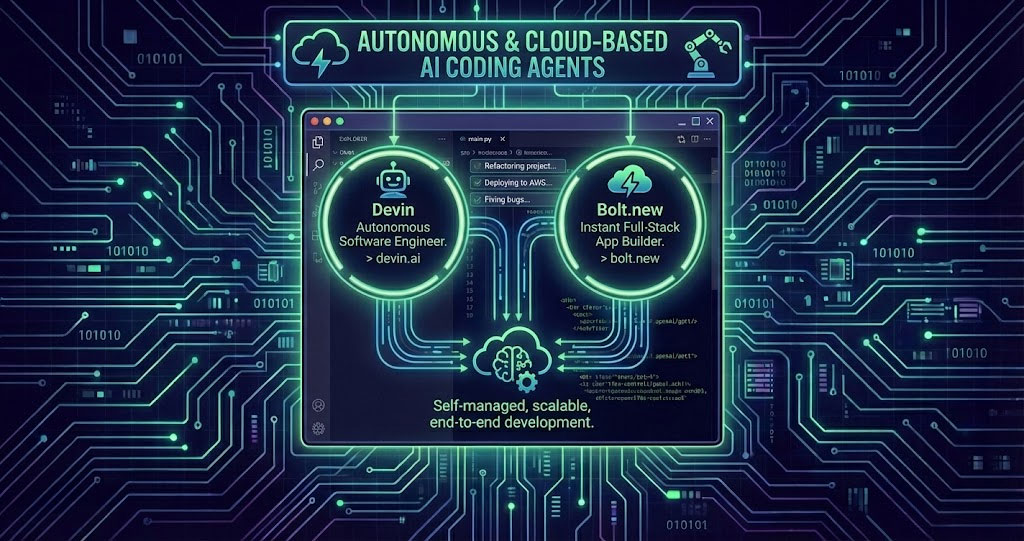
Autonomous and Cloud-Based Agents work independently in their own environments. Devin, Bolt.new, and Replit Agent can plan, execute, and deploy applications with minimal human intervention, making them ideal for prototyping and delegating well-defined tasks.
Terminal-First AI Coding Agents
1. Claude Code (Anthropic)
Claude Code is Anthropic’s terminal-first coding agent that lives directly in your command line. It reads your entire codebase, writes and edits code, runs tests, creates Git commits, and iterates on failures, all from the terminal. Many developers describe it as having a senior engineer who deeply understands context working alongside them.
What sets Claude Code apart is its advanced reasoning capability. It leverages Claude models (including Opus 4.6 and Sonnet 4.5) to handle complex architectural decisions and multi-file refactors with a high degree of accuracy. Rakuten engineers tested Claude Code on a 12.5-million-line codebase and reported that it completed an activation vector extraction task in seven hours of autonomous work, achieving 99.9% numerical accuracy.
Key Features: Terminal-first design, deep codebase understanding, agentic multi-file editing, Git integration, scriptable and composable workflows, plugin system for custom tools, and multi-repo reasoning.
Pricing: Available through Claude Pro ($20/month) and Max (starting at $100/month) subscriptions. API usage is billed separately based on token consumption.
Best For: Experienced developers comfortable with the command line who need deep reasoning for complex refactors, debugging, and multi-file tasks.
2. Aider
Aider is an open-source coding agent that runs in your terminal and pairs with any LLM you bring (OpenAI, Anthropic, local models, and more). It generates an internal map of your entire codebase, allowing it to make intelligent multi-file changes through natural language conversation. It automatically stages and commits changes with descriptive Git messages.
The biggest advantage of Aider is flexibility and cost control. Because it is open-source and model-agnostic, you pay only for the API calls to your chosen LLM provider. Teams with strict privacy requirements can point Aider at self-hosted models, keeping all code behind the firewall.
Key Features: Open-source, supports 100+ programming languages, codebase mapping, automatic Git commits, linting and test automation, supports voice-to-text input, and works with both cloud and local LLMs.
Pricing: Free (open-source). You pay only for the LLM API usage from your chosen provider (e.g., OpenAI, Anthropic).
Best For: Privacy-conscious developers, open-source enthusiasts, and teams that want full control over which AI models power their workflow.
AI-Native IDEs and Editor Agents
3. Cursor
Cursor has become the gold standard for AI-assisted development. Built as a fork of VS Code, it integrates AI into every aspect of the editing experience rather than bolting it on as an afterthought. With over 1 million users and 360,000 paying customers, Cursor is trusted by over half of the Fortune 500. Salesforce reports that over 90% of its developers now use Cursor, driving measurable improvements in cycle time and code quality.
Cursor’s Composer mode is especially powerful. You press a keyboard shortcut, describe what you want, and the agent drafts a plan, edits dozens of files, and keeps changes consistent. Its Tab prediction feature anticipates your next edit, not just the next few words, making refactoring remarkably fast.
Key Features: Full codebase understanding via embeddings, Composer for multi-file editing, agent mode with background tasks, Tab prediction, model flexibility (Claude, GPT, Gemini, and others), VS Code extension compatibility, and Bugbot for AI code reviews.
Pricing: Free (limited), Pro at $20/month, Pro+ at $60/month, Ultra at $200/month, Teams at $40/user/month, and custom Enterprise plans. Note that since June 2025, Cursor uses a credit-based billing system where premium model usage can incur additional costs beyond the base subscription.
Best For: Professional developers working on medium-to-large codebases who want the deepest AI integration available in a familiar VS Code environment. If you are exploring AI models and agents, Cursor is an excellent choice to experience agentic coding firsthand.
4. GitHub Copilot
GitHub Copilot remains the most widely adopted agentic coding tool, with over 20 million users. As the original AI pair programmer, Copilot has evolved well beyond inline suggestions. Its agent mode can now autonomously work on GitHub issues, create pull requests, and perform automated code reviews.
GitHub’s Agent HQ, announced in February 2026, takes this further by letting developers run Claude, Codex, and Copilot simultaneously on the same task, each reasoning differently about trade-offs. This makes Copilot not just a standalone tool but an orchestration hub for multiple agentic workflows.
Key Features: Context-aware inline code suggestions, Copilot Chat for in-editor Q&A, agent mode for autonomous task execution, pull request creation and review, multi-model support, and deep GitHub platform integration.
Pricing: Free tier (2,000 completions/month), Pro at $10/month (unlimited completions, 300 premium requests), Pro+ at $39/month (1,500 premium requests, all models), Business at $19/user/month, and Enterprise at $39/user/month.
Best For: Teams already embedded in the GitHub ecosystem who want a reliable, cost-effective AI assistant. At $10/month, Copilot Pro offers arguably the best value in the market for individual developers.
5. Windsurf (Formerly Codeium)
Windsurf, formerly known as Codeium, rebranded in late 2025 to emphasize its agentic IDE capabilities. Its flagship feature, Cascade, is an AI assistant that combines deep codebase understanding with real-time awareness of your actions, creating what the company calls a collaborative flow. Windsurf was acquired by Cognition (the company behind Devin), further integrating the IDE and autonomous agent ecosystems.
One standout feature is the Memories system, which learns your codebase over time and improves suggestions as you continue working on a project. The “Continue My Work” feature tracks your session across restarts, letting you close the editor, come back the next day, and pick up exactly where you left off.
Key Features: Cascade agentic assistant, Tab/Supercomplete, deep codebase indexing, Memories system, live previews, app deployment beta, SWE-1.5 in-house frontier model, and support for 9+ editors including VS Code and JetBrains.
Pricing: Free (25 credits/month), Pro at $15/month (500 credits), Teams at $30/user/month, and Enterprise at $60/user/month.
Best For: Developers seeking an AI-native IDE at a lower price point than Cursor, with unique features like Memories and Continue My Work that enhance long-term project engagement.
6. Google Antigravity
Google Antigravity is one of the newest and most ambitious entrants in the agentic coding space. Announced in November 2025 alongside Gemini 3, it represents a fully agent-first IDE rather than an editor with AI bolted on. The platform introduces a “Manager View” (Mission Control) where developers can dispatch multiple AI agents to work on different tasks simultaneously.
Antigravity’s agents have direct access to the editor, terminal, and a browser instance, enabling them to autonomously plan, write code, test applications via the browser, and verify that everything works. Instead of showing raw tool calls, agents produce verifiable “Artifacts” like task lists, implementation plans, and browser recordings. This is a fundamentally different approach from other agentic coding tools that are limited to code generation.
Key Features: Agent-first architecture with Manager View, multi-agent parallel execution, browser-based testing and validation, self-improving knowledge base, interactive feedback on Artifacts, support for Gemini 3.1 Pro, Claude Sonnet 4.6, and Claude Opus 4.6, and granular terminal permission controls.
Pricing: Currently free during public preview with generous Gemini 3 Pro rate limits. Enterprise pricing is expected to launch later in 2026.
Best For: Developers who want to experience the cutting edge of autonomous AI agents in coding and are comfortable with early-stage software. Google Antigravity is experimental but represents where the industry is heading.
7. Amazon Q Developer
Amazon Q Developer is AWS’s comprehensive AI development assistant, and it has evolved far beyond its CodeWhisperer origins. It now includes autonomous agents capable of multi-step tasks like implementing features, refactoring code, and upgrading language versions. Amazon used Q’s transformation agents to upgrade 1,000 applications from Java 8 to Java 17 in just two days, a task that would normally take months.
What makes Q Developer unique is its deep AWS integration. In the AWS Console or CLI, you can ask questions about your infrastructure, generate CLI commands, diagnose errors, and optimize costs. If your team builds on AWS, this level of cloud-native intelligence is unmatched.
Key Features: Code suggestions and chat, autonomous transformation agents, security vulnerability scanning, AWS Console integration, CLI autocompletions, reference tracking for open-source code, and support for VS Code and JetBrains IDEs.
Pricing: Free tier (50 agentic requests/month, 1,000 LOC/month for transformations) and Pro at $19/user/month (higher limits, 4,000 LOC/month, IAM Identity Center management).
Best For: Development teams building on AWS who want an AI coding agent that understands their cloud infrastructure as well as their code. Particularly strong for Java modernization projects and AWS infrastructure management.
8. Cline
Cline is an open-source VS Code extension that brings true agentic behavior to your existing editor. Unlike Cursor or Windsurf, which require switching IDEs, Cline works as a plugin inside VS Code or JetBrains. It can take a series of steps, evaluate results, fix its own issues, and continue autonomously, making it closer to a genuine agent than many built-in IDE assistants.
Cline is model-agnostic, meaning you bring your own API key from any provider (Anthropic, OpenAI, Google, and others). This gives you full control over costs and privacy. Developers who prefer staying in their existing editor setup often pair Cline with their current IDE for powerful agentic capabilities without switching tools.
Key Features: Open-source VS Code/JetBrains extension, bring-your-own-API-key model, autonomous multi-step execution with self-correction, file creation and editing, terminal command execution, and browser interaction for testing.
Pricing: Free (open-source). You pay only for API usage from your chosen LLM provider.
Best For: Developers who want agentic AI capabilities without switching from their current IDE, and teams that need model flexibility and cost transparency.
Autonomous and Cloud-Based AI Coding Agents
9. Devin
Devin, created by Cognition AI, positions itself as the first fully autonomous AI software engineer. Unlike tools that assist while you code, Devin works independently in its own sandboxed environment. You assign a task, and Devin plans steps, edits code, runs commands, tests results, and iterates until it delivers a pull request for review.
Devin 2.0, launched in late 2025, introduced an agent-native IDE experience where you can spin up multiple Devins working in parallel on different tasks. It also added Interactive Planning, Devin Search (for asking questions about your codebase), and Devin Wiki (automatic documentation generation). Nubank used Devin for a massive ETL migration across 6 million lines of code and reported 12x efficiency improvement in engineering hours.
Key Features: Fully autonomous task execution, cloud-based sandboxed environment, parallel agent sessions, Interactive Planning, Devin Search and Wiki, pull request creation, and integration with Jira and Linear.
Pricing: Core plan at $20/month (pay-as-you-go at $2.25/ACU), Teams at $500/month (250 ACUs included at $2.00/ACU), and custom Enterprise plans. One ACU covers approximately 15 minutes of active Devin work.
Best For: Engineering teams wanting to delegate well-defined, repetitive tasks to an autonomous agent. Particularly effective for large-scale migrations, code modernization, and clearing backlog items.
10. Bolt.new
Bolt.new is a browser-based app builder that transforms natural language prompts into full-stack applications. Built on StackBlitz’s WebContainers technology, it gives the AI complete control over the filesystem, Node server, package manager, terminal, and browser console, all within your browser. No local setup is required.
Where other tools assist while you code, Bolt.new generates entire applications. Describe what you want in plain English, and it creates the frontend, backend, database schema, and API endpoints in seconds. It supports React, Vue, Svelte, Next.js, and many other frameworks. The platform is also open-source, meaning you can deploy it locally with your own API keys.
Key Features: Prompt-based full-stack app generation, browser-based IDE with live preview, support for multiple frameworks, one-click deployment via Netlify/Vercel, Bolt Cloud hosting, product references for context management, and open-source codebase.
Pricing: Free tier (limited daily tokens), Pro at $20/month (10M tokens), Pro 50 at $50/month (26M tokens), and Pro 200 at $200/month (120M tokens).
Best For: Entrepreneurs, solo creators, and developers who need to prototype and deploy MVPs rapidly. Also excellent for exploring new frameworks without complex local setup. If you are considering building an e-commerce website, Bolt.new can help you prototype ideas quickly before committing to full development.
11. Replit Agent
Replit started as an online code editor and has evolved into a full AI-powered development platform. Replit Agent can build and fix applications from natural language prompts, deploy them with a single click, and collaborate in real-time. Everything runs entirely in the browser with no installation needed.
What distinguishes Replit from tools like Bolt.new is its collaborative environment. Multiple team members can work in the same workspace simultaneously, making it function like Google Docs for code. It supports over 50 programming languages and provides instant hosting for deployed applications.
Key Features: Browser-based IDE, Replit Agent for autonomous app building, real-time multi-user collaboration, instant deployment, support for 50+ languages, and a strong learning community.
Pricing: Free tier (limited), Replit Core at $25/month with enhanced AI capabilities and additional compute.
Best For: Beginners learning to code, educators, and collaborative teams who want a zero-setup environment for rapid prototyping and deployment.
AI Coding Agents Comparison Table: Pricing, Features, and Best Use Cases
Here is a side-by-side comparison of all 11 tools covered in this guide. Use this table to quickly identify which ones align with your needs and budget.
| Tool | Category | Starting Price | Open-Source | Best For |
|---|---|---|---|---|
| Claude Code | Terminal Agent | $20/mo (Claude Pro) | No | Complex refactors, deep reasoning |
| Aider | Terminal Agent | Free + API costs | Yes | Privacy-focused, model flexibility |
| Cursor | AI-Native IDE | Free / $20/mo Pro | No | Full-stack AI-first development |
| GitHub Copilot | Editor Agent | Free / $10/mo Pro | No | GitHub ecosystem, best value |
| Windsurf | AI-Native IDE | Free / $15/mo Pro | No | Budget AI IDE, codebase memory |
| Google Antigravity | Agent-First IDE | Free (preview) | No | Multi-agent orchestration |
| Amazon Q Developer | Editor Agent | Free / $19/user/mo | No | AWS-native development |
| Cline | Editor Extension | Free + API costs | Yes | Agentic AI in existing IDE |
| Devin | Autonomous Agent | $20/mo + ACU costs | No | Delegating full tasks, migrations |
| Bolt.new | App Builder | Free / $20/mo Pro | Yes | Rapid prototyping, MVPs |
| Replit Agent | App Builder | Free / $25/mo Core | No | Beginners, collaboration |
How to Choose the Right AI Coding Agent
Choosing the right tool depends on your specific workflow, budget, and technical needs. Here is a practical decision framework:
If you want the best value for individual development: Start with GitHub Copilot Pro at $10/month. It provides unlimited completions, agent mode, and deep GitHub integration at the lowest price point among paid tools.
If you want the deepest AI integration in an IDE: Cursor at $20/month offers superior codebase understanding, multi-file editing, and background agents. It is the tool most experienced developers settle on for daily use.
If you need powerful reasoning for complex tasks: Claude Code excels at architectural decisions, large refactors, and tasks that require deep understanding of codebases. It is terminal-first, which suits developers who live in the command line.
If you build on AWS: Amazon Q Developer is the clear choice, offering cloud-native intelligence that no other tool matches for AWS workflows.
If you want maximum control and privacy: Aider (terminal) or Cline (IDE extension), both open-source and model-agnostic, let you keep code behind your firewall.
If you want to prototype fast without local setup: Bolt.new or Replit Agent will take you from idea to working application in minutes, entirely in the browser.
If you want to try the future of agent-first development: Google Antigravity is free during its preview and demonstrates where the entire industry is heading with multi-agent orchestration.
The winning strategy in 2026 is not picking one tool. Many experienced developers use Copilot for everyday inline suggestions, Cursor for complex refactors, and a terminal agent like Claude Code for specific deep tasks. Think toolkit, not single tool.
Security Considerations for AI Coding Agents
With great power comes great responsibility. Studies show that 45% of AI-generated code contains security vulnerabilities, and teams report 41% higher code churn when using AI tools without proper oversight. Here are critical security practices when adopting agentic coding tools:
No AI coding agent produces production-ready code 100% of the time. Treat all AI output as a first draft that requires human review, especially for authentication, payment processing, and data handling logic. Building strong security infrastructure should always come before optimizing for speed.
Understand data privacy policies. Different tools handle your code differently. GitHub Copilot Business and Enterprise explicitly guarantee that code is never used for training. Open-source options like Aider and Cline send code only to your chosen API provider. Evaluate each tool’s data handling before introducing it to proprietary codebases.
Implement bounded autonomy. The leading pattern in 2026 is giving agents clear operational limits, mandatory escalation paths for high-stakes decisions, and comprehensive audit trails. Tools like Google Antigravity offer granular permission controls for terminal command execution. Apply similar principles regardless of which agent you use.
Pair your coding agent with dedicated security tools. Amazon Q Developer includes built-in vulnerability scanning, and third-party tools like Snyk Code add another layer of protection.
FAQ: AI Coding Agents
What is the best AI coding agent in 2026?
There is no single best tool. Cursor offers the deepest IDE integration, GitHub Copilot provides the best value at $10/month, Claude Code delivers superior reasoning for complex tasks, and Amazon Q Developer is unmatched for AWS workflows. The most productive developers combine multiple tools for different parts of their workflow.
Are AI coding agents free to use?
Several tools offer free tiers. GitHub Copilot Free includes 2,000 completions/month. Google Antigravity is entirely free during its public preview. Aider and Cline are open-source (you pay only for API calls). Cursor, Windsurf, Bolt.new, and Replit all have limited free plans. For professional use, paid plans typically range from $10 to $60 per month.
Can AI coding agents replace developers?
No. Developers in 2026 use AI in about 60% of their work but fully delegate only 0-20% of tasks. The developer role is shifting from writing every line of code toward architecture, agent orchestration, code review, and strategic decision-making. AI handles implementation; humans provide judgment and direction.
What is agentic coding?
Agentic coding refers to AI systems that independently formulate and execute multi-step plans across a codebase. Unlike simple code completion, agentic AI reads repository context, plans changes across multiple files, runs tests, and iterates on failures autonomously. It represents the shift from AI as a suggestion tool to AI as an active collaborator.
How much do AI coding agents cost per month?
Costs vary widely. GitHub Copilot Pro starts at $10/month, Windsurf Pro at $15/month, and Cursor Pro at $20/month. For teams, expect $19-$60/user/month depending on the tool. Usage-based pricing (like Devin’s ACU model or Cursor’s credit system) can increase costs beyond the base subscription for heavy users. Many developers spend $20-$120/month total across their tool stack.
Is AI-generated code safe and secure?
Not automatically. Research indicates that 45% of AI-generated code contains security vulnerabilities, and AI-generated code can have roughly 1.7 times as many defects when not reviewed by a qualified human. Always implement code review processes, use security scanning tools, and treat AI output as a starting point that requires validation.
What is vibe coding?
Vibe coding is a term for natural-language-driven development where prompts generate working logic. Instead of writing code directly, you describe what you want in plain English and the AI produces the implementation. Tools like Bolt.new, Replit Agent, and Cursor’s Composer mode enable this workflow. While powerful for prototyping, production applications still require careful review and refinement.
Which AI coding agent is best for beginners?
Replit Agent is the most beginner-friendly option with its browser-based environment, built-in tutorials, and zero setup required. GitHub Copilot Free is also an excellent starting point for developers who already use VS Code. For non-developers who want to build apps, Bolt.new allows you to create working applications from plain English descriptions.
The Future of AI Coding Agents: What Comes Next
The AI coding agents landscape is evolving at a breakneck pace. Two major developments will shape the rest of 2026 and beyond.
First, multi-agent orchestration is becoming standard. Rather than relying on a single AI, teams are deploying specialized agents for code review, test generation, security scanning, and deployment, each focused on what it does best. Protocols like the Model Context Protocol (MCP) and Google’s Agent2Agent (A2A) are making this interoperability practical, becoming as essential for developers to understand as REST APIs.
Second, agentic coding tools are expanding beyond engineering teams. Sales, legal, marketing, and operations teams are using these tools to build small automations and internal tools without waiting on engineering queues. Zapier achieved 97% AI adoption across their entire organization as of early 2026, demonstrating how quickly this shift can happen.
The organizations that treat agentic coding as a strategic priority will define what becomes possible. Those that view these tools as incremental productivity additions will face a competitive disadvantage. Whether you are a solo developer or leading a team, now is the time to experiment with these tools, find the combination that works for your workflow, and build the muscle memory for orchestrating AI agents effectively.
The future of software development is not about writing more code. It is about building better software with the right agents by your side.
Related reading:
- Best AI Models and Agents in 2026: Hands-On Pricing, Pros, Cons, and Comparison
- The Ultimate Guide to Autonomous AI Agents
- AI Content Strategy: Proven Playbook to Skyrocket Ranking
- AI Agents for eCommerce: Automate Inventory, Customer Service, and Pricing in 2026
- How to Set Up a Private VPN on AWS: Ultimate Complete 2026 Guide
Sources: Anthropic 2026 Agentic Coding Trends Report (January 2026), Gartner AI Agent Forecasts (2025-2026), BayelsaWatch AI Coding Assistant Statistics (February 2026), MachineLearningMastery Agentic AI Trends (January 2026), DEV Community AI Revolution Trends (February 2026), GitHub Copilot official pricing (February 2026), Cursor official pricing (February 2026), Windsurf official pricing (February 2026), AWS Amazon Q Developer pricing (February 2026), Devin/Cognition AI pricing (February 2026), Google Developers Blog Antigravity Announcement (November 2025).

Husain Alhaboubi is Director of Digital Channels at Mobily, where he leads platform optimization, AI-powered customer engagement, and UI/UX strategy. With 20+ years of experience spanning eCommerce, IT infrastructure, and digital marketing, he previously drove a 225% revenue increase and 69% organic traffic growth as eCommerce Senior Manager at flyadeal, and managed enterprise IT operations — including data centers, ERP systems, and network security — as Group IT Manager at IPD Group.
Husain holds a BS in Information Systems from the University of Texas at Arlington and is certified in Google Ads, Google Analytics, and Semrush SEO. He writes from hands-on experience across both sides of digital business: the strategic (eCommerce, SEO, AI, digital transformation) and the technical (server administration, cloud computing, web development, networking, and security) — with a particular focus on the Saudi market and Vision 2030. Read his full resume →