
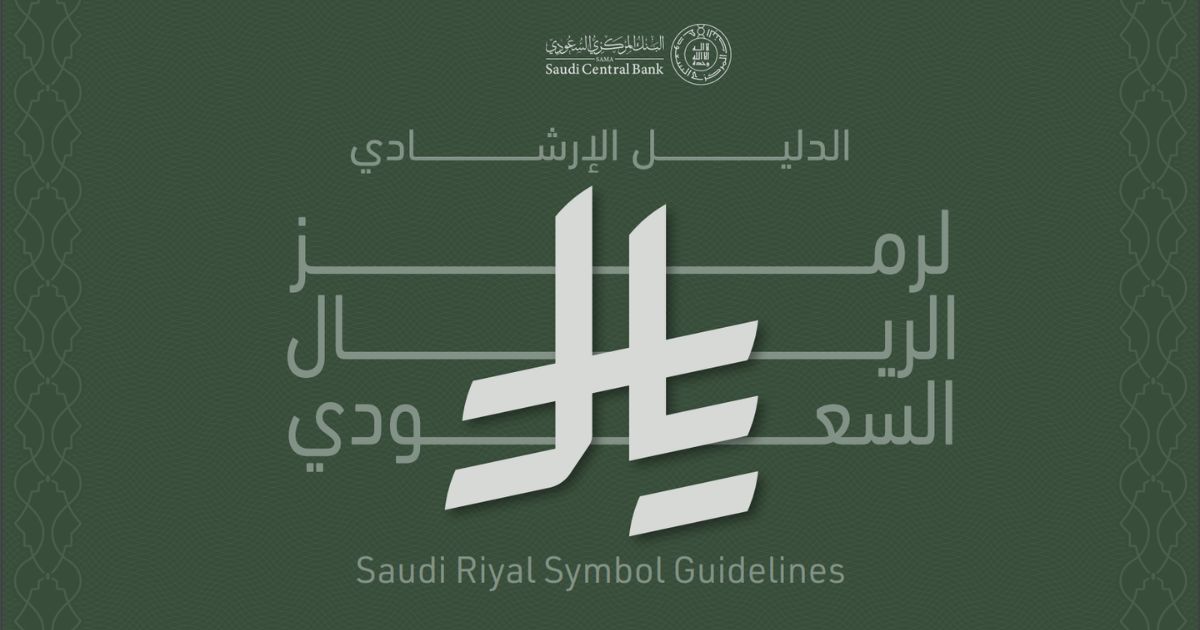
Using the New Saudi Riyal Symbol in Word, Excel and Your Website
The new Saudi Riyal symbol now has official Unicode support, making it easier than ever to display this currency marker across websites, applications, and documents. Encoded as U+20C1 in Unicode 17.0 (released September 2025), this symbol represents a milestone for Saudi Arabia’s financial identity. Whether you’re a developer building e-commerce platforms, a financial analyst preparing reports, or a business owner updating invoices, this guide covers everything you need to implement the new Saudi Riyal symbol correctly in 2026.
Table of Contents
What Is the New Saudi Riyal Symbol?
The new Saudi Riyal symbol is the official currency marker for the Saudi Riyal (SAR), approved by King Salman bin Abdulaziz Al Saud on February 20, 2025. Developed through collaboration between the Saudi Central Bank (SAMA), the Ministry of Culture, the Ministry of Media, and the Saudi Standards, Metrology and Quality Organization, this symbol represents a significant milestone in Saudi Arabia’s financial modernization under Vision 2030.
The design draws inspiration from Arabic calligraphy, incorporating the Arabic letters Ra (ر), Ya (ي), and Lam (ل) that form the word “Riyal” (ريال). The geometric structure includes a crossbar formed by the letter rāʾ, similar to other global currency symbols like the dollar ($) and euro (€). Saudi Arabia became the first Arab country to issue an official symbol for its currency, strengthening the Riyal’s identity in international financial markets.
This initiative aligns with Saudi Arabia’s digital economy transformation, where the ICT market has surpassed SAR 180 billion and the digital economy contributes approximately 15% to national GDP. With electronic payments accounting for 79% of all retail transactions in Saudi Arabia as of 2024, proper implementation of the new Saudi Riyal symbol is essential for businesses operating in the Kingdom.
Unicode Status and Font Support in 2026
The new Saudi Riyal symbol was officially added to the Unicode Standard with the release of Unicode 17.0 on September 9, 2025. The symbol is encoded at code point U+20C1 in the Currency Symbols block under the name “SAUDI RIYAL SIGN.” This encoding followed SAMA’s formal proposal (L2/25-075) submitted in March 2025, which the Unicode Technical Committee approved during its 183rd meeting in April 2025.
The Unicode Common Locale Data Repository (CLDR) 48, released in October 2025, includes the symbol as an “alternative” currency symbol rather than the default. This approach prevents display issues on devices that haven’t updated their fonts to support the new character. As font vendors gradually add support for U+20C1, future CLDR versions will designate the symbol as the primary representation.
While Unicode support is now official, widespread font support is still catching up. Most system fonts on Windows, macOS, iOS, and Android do not yet include the new Saudi Riyal symbol natively. Until major operating system vendors update their default fonts, developers should use fallback methods such as custom web fonts or SVG images to ensure consistent display across all platforms.
Official SAMA Usage Guidelines
SAMA has established eight official rules for using the new Saudi Riyal symbol to ensure consistency across all financial and commercial applications. Following these guidelines maintains compliance with Saudi financial standards and presents a professional appearance to customers.
- Position: Always place the symbol to the left of numerical values in all languages, including Arabic and English.
- Spacing: Include a single space between the symbol and the number for clarity.
- Proportions: Maintain the correct geometric structure and proportions as specified in the official guidelines.
- Height alignment: The symbol’s height should match the surrounding text height.
- Text direction: The symbol must align with the direction of the text flow.
- Surrounding space: Maintain adequate free space around the symbol for visual balance.
- Color contrast: Ensure sufficient contrast between the symbol and background colors for visibility.
- Consistency: Use the same symbol representation throughout a document or application.
SAMA provides official symbol files in SVG, PNG, and EPS formats for design projects. The complete usage guidelines document is available on the SAMA website.
How to Implement the New Saudi Riyal Symbol on Websites
Web developers have several options for displaying this currency marker on websites and web applications. The best approach depends on your target audience’s browser and device support, as well as your project’s technical requirements.
Method 1: Unicode Character (U+20C1)
For browsers and devices that support Unicode 17.0, you can use the native character directly in your HTML. This is the cleanest approach and will become the standard as font support expands.
<!-- Using HTML entity -->
<span class="price">⃁ 150.00</span>
<!-- Using CSS content property -->
<style>
.sar-price::before {
content: "\20C1 ";
}
</style>
<span class="sar-price">150.00</span>
Since most fonts don’t yet support U+20C1, combine this with a fallback font that includes the character:
.price {
    font-family: 'Saudi Riyal Font', 'Noto Sans', Arial, sans-serif;
}
Method 2: Custom Font with NPM Package
For React, Vue, Angular, or other JavaScript framework projects, the @emran-alhaddad/saudi-riyal-font NPM package provides a reliable solution with support for both the U+20C1 Unicode point and a legacy fallback.
npm install @emran-alhaddad/saudi-riyal-font
Import the CSS in your project and use the provided icon classes:
// In your main JavaScript/TypeScript file
import '@emran-alhaddad/saudi-riyal-font/index.css';
<!-- Using the new Unicode code point (recommended) -->
<span class="icon-saudi_riyal_new"></span> 150.00

<!-- Bold variant -->
<span class="icon-saudi_riyal_bold_new"></span> 150.00
For React Native or Expo projects, install the URL polyfill first to prevent runtime errors:
// In your entry file (index.js or App.tsx)
import 'react-native-url-polyfill/auto';
// Then import other modules
Method 3: CDN-Hosted Font
For quick implementation without package management, load the font directly from a CDN. This approach works well for WordPress sites, static HTML pages, or situations where you can’t modify the build process.
<!-- Add to your HTML head -->
<link rel="stylesheet" href="https://cdn.jsdelivr.net/npm/@emran-alhaddad/saudi-riyal-font/index.css">

<!-- Alternative: unpkg CDN -->
<link rel="stylesheet" href="https://unpkg.com/@emran-alhaddad/saudi-riyal-font/index.css">
Then use the icon classes in your HTML as shown in Method 2.
Method 4: Inline SVG
For maximum compatibility without external dependencies, embed the symbol as an inline SVG. This method ensures the symbol displays correctly regardless of font support, making it ideal for email templates, PDF generation, and legacy browser support.
<svg xmlns="http://www.w3.org/2000/svg" viewBox="0 0 1124.14 1256.39"
     style="width:1em; height:1em; vertical-align:-0.1em; fill:currentColor;"
     role="img" aria-label="Saudi Riyal">
  <path d="M699.62,1113.02h0c-20.06,44.48-33.32,92.75-38.4,143.37l424.51-90.24c20.06-44.47,33.31-92.75,38.4-143.37l-424.51,90.24Z"/>
  <path d="M1085.73,895.8c20.06-44.47,33.32-92.75,38.4-143.37l-330.68,70.33v-135.2l292.27-62.11c20.06-44.47,33.32-92.75,38.4-143.37l-330.68,70.27V66.13c-50.67,28.45-95.67,66.32-132.25,110.99v403.35l-132.25,28.11V0c-50.67,28.44-95.67,66.32-132.25,110.99v525.69l-295.91,62.88c-20.06,44.47-33.33,92.75-38.42,143.37l334.33-71.05v170.26l-358.3,76.14c-20.06,44.47-33.32,92.75-38.4,143.37l375.04-79.7c30.53-6.35,56.77-24.4,73.83-49.24l68.78-101.97v-.02c7.14-10.55,11.3-23.27,11.3-36.97v-149.98l132.25-28.11v270.4l424.53-90.28Z"/>
</svg> 150.00
Customize the SVG by adjusting width, height, and fill values. Using fill:currentColor allows the symbol to inherit the text color automatically.
The result:
How to Use the New Saudi Riyal Symbol in Word and Excel
Microsoft Office applications require font installation to display the Saudi Riyal currency symbol properly. Until Microsoft updates its default fonts to include U+20C1, you’ll need to install a custom font.
Microsoft Word Implementation
Follow these steps to use the symbol in Word documents:
- Download a Saudi Riyal font file (TTF format) from a trusted source such as this link or the Saudi-Riyal-Font GitHub repository.
- On Windows, right-click the downloaded .ttf file and select “Install.” On macOS, double-click the file and click “Install Font” in Font Book.
- Open Microsoft Word and create a new document or open an existing one.
- Select the font from the font dropdown menu (look for “SaudiRiyal” or similar).
- Type the character mapped to the symbol (typically “R” or the assigned Unicode character, depending on the font).
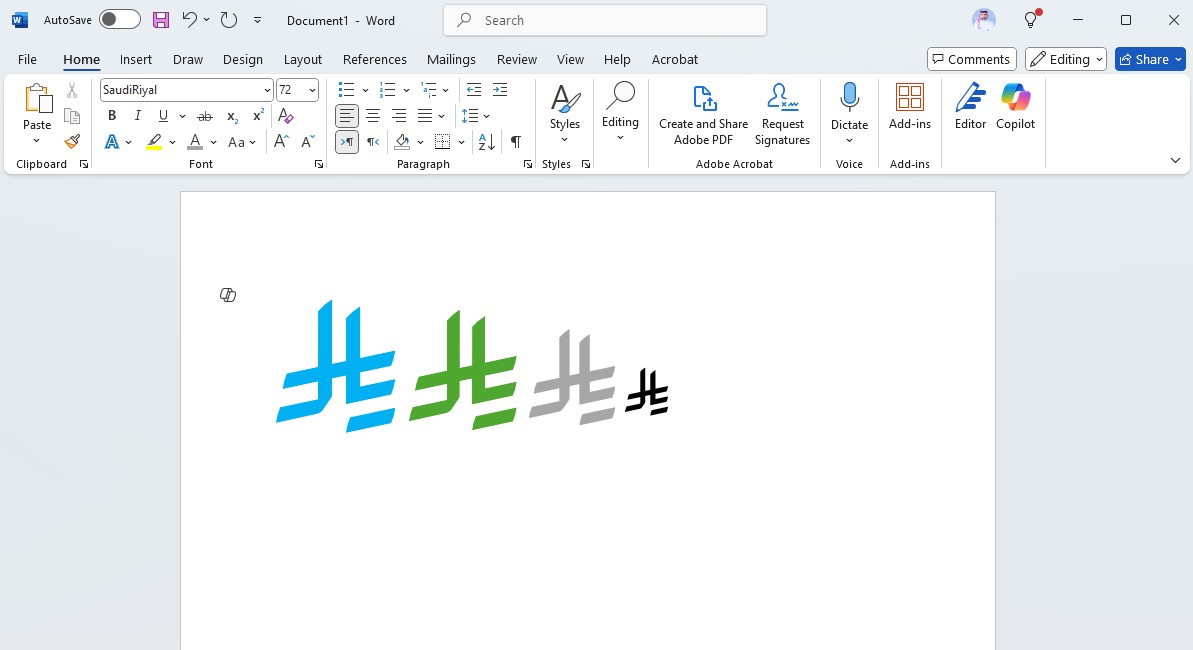
For frequent use, create a Quick Part or AutoCorrect entry to insert the symbol automatically when you type a shortcut like “SAR”.
Microsoft Excel Implementation
Excel implementation follows the same font installation process. After installing the font, below is to use the new Saudi Riyal Symbol in Excel:
- Select the cells where you want to display the currency symbol.
- Change the font to your installed Saudi Riyal font.
- For currency formatting, create a custom number format that includes the symbol.
- Alternatively, use a helper column with the symbol and concatenate it with your values.
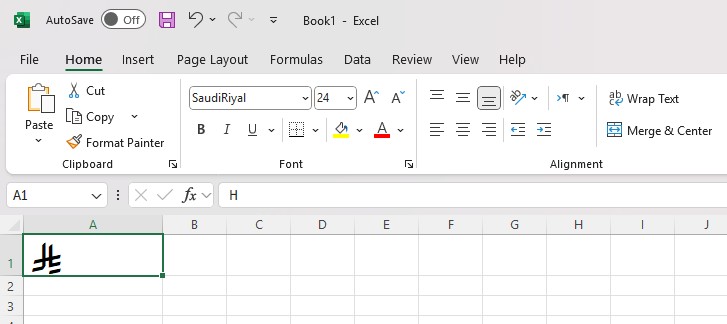
When sharing Excel files with others, embed the font or convert the symbol to an image to ensure recipients see it correctly even without the font installed.
Accessibility Best Practices for Screen Readers
Implementing the Saudi Riyal currency symbol accessibly ensures users with visual impairments can understand your financial content. Approximately 15% of the world’s population lives with some form of disability, and proper accessibility implementation is essential for WCAG compliance.
When using custom fonts or SVG for the symbol, add appropriate ARIA attributes:
<!-- For icon fonts -->
<span class="icon-saudi_riyal_new" aria-hidden="true"></span>
<span class="visually-hidden">SAR</span> 150.00

<!-- For SVG -->
<svg role="img" aria-label="Saudi Riyal">...</svg> 150.00

<!-- For prices with full context -->
<span aria-label="150 Saudi Riyals">
    <span class="icon-saudi_riyal_new" aria-hidden="true"></span> 150.00
</span>
Key accessibility considerations include using aria-hidden="true" on decorative symbol elements to prevent screen readers from announcing gibberish characters, providing alternative text with aria-label or visually hidden text, and testing with screen readers like NVDA, VoiceOver, or TalkBack to verify proper announcement of currency values.
Common Implementation Mistakes to Avoid
Avoid these common pitfalls when implementing the symbol in your projects:
- Using U+FDFC instead of U+20C1: The old Rial sign is intended for the Iranian Rial and has different bidirectional properties. Always use U+20C1 for the Saudi Riyal.
- No fallback for missing fonts: Don’t assume users have fonts that support the new character. Always provide a fallback using custom web fonts or images.
- Incorrect symbol positioning: According to SAMA guidelines, the symbol must appear to the left of the number with a space, regardless of text direction.
- Missing accessibility attributes: Icon fonts and SVGs need proper ARIA labels for screen reader users.
- Inconsistent styling: Ensure the symbol’s size and color match surrounding text for visual harmony.
- Not testing across platforms: Verify display on Windows, macOS, iOS, and Android before deployment, especially for e-commerce websites in Saudi Arabia.
- Hardcoding font paths: Use CDN links or NPM packages for easier maintenance and updates.
FAQ: New Saudi Riyal Symbol
What Is the Unicode for the New Saudi Riyal Symbol?
The official Unicode code point for the Saudi Riyal currency symbol is U+20C1, added in Unicode 17.0 (September 2025). In HTML, use ⃁ or ⃁ to display the character. In CSS, use \20C1 within the content property.
When Was the New Saudi Riyal Symbol Officially Approved?
King Salman bin Abdulaziz Al Saud officially approved the Saudi Riyal currency symbol on February 20, 2025. The Saudi Central Bank (SAMA) announced its adoption the same day. The symbol was subsequently added to Unicode 17.0, which was released on September 9, 2025.
What Is the Difference Between U+FDFC and U+20C1?
U+FDFC (RIAL SIGN) was created for the Iranian Rial as a compatibility character and has a bidirectional class of Arabic_Letter, meaning it only works properly in right-to-left text. U+20C1 (SAUDI RIYAL SIGN) is a new atomic symbol designed specifically for the Saudi Riyal that works correctly in both left-to-right and right-to-left contexts.
How Do I Type the New Saudi Riyal Symbol on a Keyboard?
Currently, no standard keyboard includes a dedicated key for the Saudi Riyal currency symbol. You can type it by using the Unicode code point (Alt+X on Windows with U+20C1, or configuring a text replacement shortcut in your operating system settings). Installing a custom font and creating a keyboard shortcut is the most practical approach until native support expands.
Which Fonts Support the New Saudi Riyal Symbol?
As of January 2026, most system fonts do not yet include the Saudi Riyal character. Dedicated fonts like the Saudi-Riyal-Font (available via NPM and CDN) provide reliable support. Major font vendors are expected to add U+20C1 support in upcoming updates to Noto, Roboto, and other widely-used fonts.
Is the New Saudi Riyal Symbol Available on Mobile Devices?
Native support for the Saudi Riyal character on iOS and Android depends on operating system updates that include fonts with U+20C1. For mobile apps, use the NPM package with React Native (including the URL polyfill for Expo), or render the symbol using SVG for consistent cross-platform display.
Implement the New Saudi Riyal Symbol in Your Projects
The new Saudi Riyal symbol represents a significant step forward for Saudi Arabia’s financial identity on the global stage. With Unicode 17.0 support now official, implementation options continue to expand. For web projects, use the NPM package or CDN-hosted font for the most reliable display. For desktop applications and documents, install a compatible font and create shortcuts for efficient workflow.
As font support grows throughout 2026, the native Unicode character will become the preferred method. Until then, the custom font and SVG fallback approaches ensure your e-commerce platforms, financial applications, and business documents display the symbol correctly for all users.
Related reading:
- Saudi Arabia’s Digital Economy in 2025: Vision 2030’s Tech-Driven Transformation
- A Beginner’s Guide to Opening an E-commerce Website in Saudi Arabia
- Understanding the 2026 Evolution of Consumer Behavior in Middle East E-commerce
- The Spectacular Digital Transformation Journey of Saudi Arabia
Sources: Saudi Central Bank (SAMA), Unicode Consortium Blog, Wikipedia – Saudi riyal sign, Saudi Ministry of Communications and Information Technology

Husain Alhaboubi is Director of Digital Channels at Mobily, where he leads platform optimization, AI-powered customer engagement, and UI/UX strategy. With 20+ years of experience spanning eCommerce, IT infrastructure, and digital marketing, he previously drove a 225% revenue increase and 69% organic traffic growth as eCommerce Senior Manager at flyadeal, and managed enterprise IT operations — including data centers, ERP systems, and network security — as Group IT Manager at IPD Group.
Husain holds a BS in Information Systems from the University of Texas at Arlington and is certified in Google Ads, Google Analytics, and Semrush SEO. He writes from hands-on experience across both sides of digital business: the strategic (eCommerce, SEO, AI, digital transformation) and the technical (server administration, cloud computing, web development, networking, and security) — with a particular focus on the Saudi market and Vision 2030. Read his full resume →
Hi Husain, I just wanted to leave a comment to thank you for this guide. I was looking for a way to use the new Saudi Riyal symbol, and your custom font and SVG solutions are incredibly helpful. I really appreciate you taking the time to explain the technical details and providing these resources for free. Great work!